Payroll Year-End Checklist
Payroll
Published: 7/31/2026
Payroll year-end is more than a final payslip. UK employers need to close the tax year correctly, send the final FPS or EPS, issue P60s, prepare for the new tax year, review benefits and expenses, and make sure PAYE records are accurate before HMRC deadlines arrive.
Payroll year-end can feel routine, but it is one of the most important compliance points for UK employers. If your final payroll submission is wrong, employees may receive incorrect tax records, PAYE balances may not agree with HMRC, and benefits or expenses may be missed.
For small businesses, startups and growing companies, the key is to plan before the final payroll run. This means checking employee records, pay dates, deductions, starters and leavers, payroll benefits, PAYE payments, and whether an Employer Payment Summary is needed.
This guide explains the main payroll year-end steps for UK employers and how Accusolve Accountants can help keep your payroll accurate, compliant and ready for the new tax year.
What is payroll year-end?
Payroll year-end is the process of closing the employer payroll records for the tax year, which ends on 5 April. It includes sending the final payroll report to HMRC, confirming year-end information, issuing P60s to employees, and preparing payroll records and software for the new tax year from 6 April.
The payroll year-end process is linked to Real Time Information, commonly known as RTI. Employers report pay and deductions to HMRC through payroll software, usually by submitting a Full Payment Submission, or FPS, on or before each payday.
At year-end, the final FPS or Employer Payment Summary, known as an EPS, tells HMRC that the payroll year has been closed correctly.
Payroll year-end deadlines at a glance
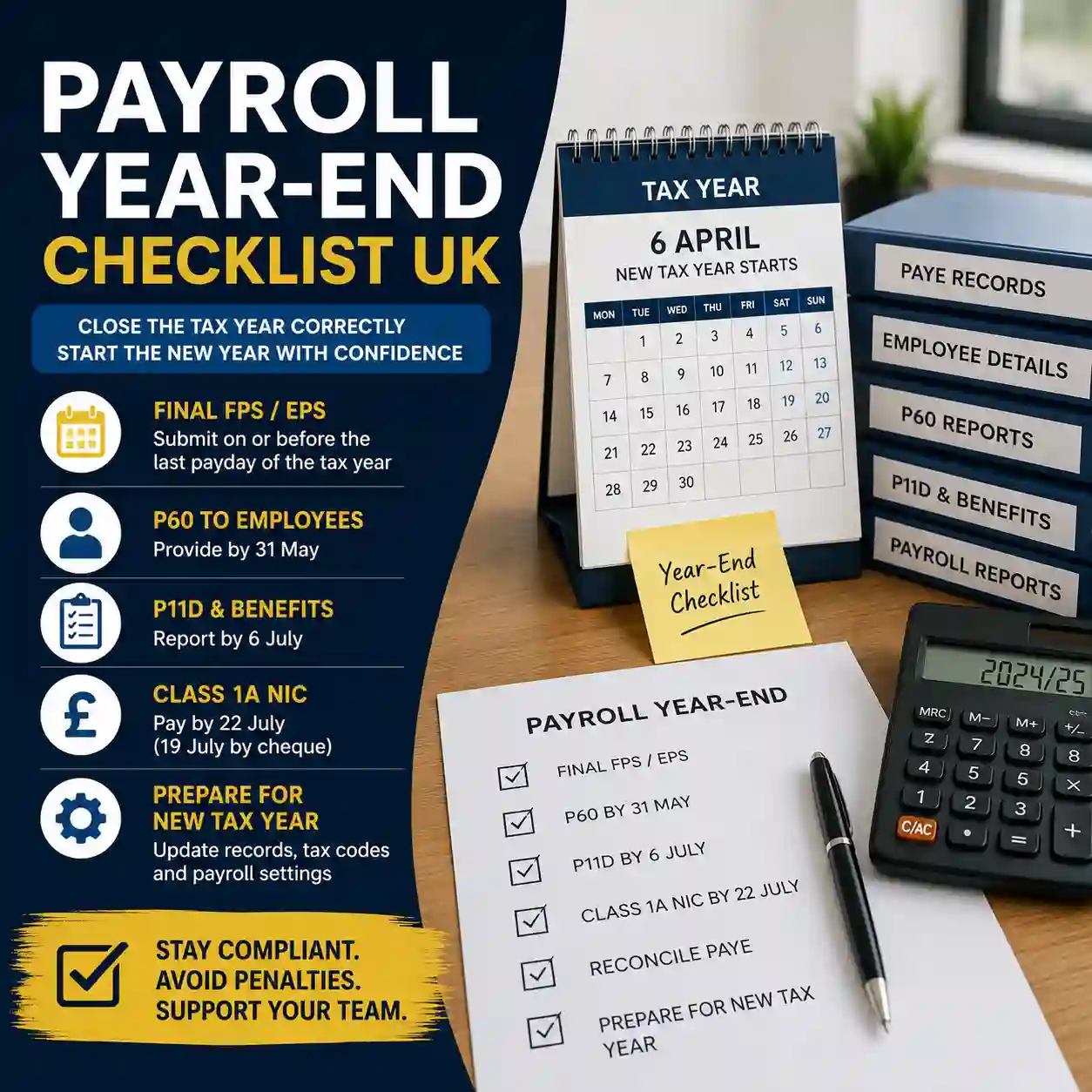
| Task | Typical deadline | Why it matters |
|---|---|---|
| Send final FPS | On or before the last employee payday of the tax year | Confirms final pay and deductions for the year. |
| Send final EPS if needed | Usually by 19 April where the final year-end declaration was not made through the FPS or no employees were paid in the final period | Helps HMRC close the year correctly where an FPS cannot carry the final declaration. |
| Update employee payroll records | From 6 April | Ensures tax codes, payroll IDs, employee details and new year settings are correct. |
| Update payroll software | From 6 April, or earlier if your software provider instructs | Ensures payroll calculations use current tax-year settings. |
| Issue P60s | By 31 May | Gives employees a year-end summary of pay and deductions. |
| Report expenses and benefits | By 6 July | Required where benefits and expenses must be reported to HMRC. |
| Pay Class 1A National Insurance | Usually by 22 July electronically, or 19 July by cheque | Applies where Class 1A NIC is due on taxable benefits and expenses. |
Step 1: Review payroll before the final pay run
Do not wait until after the final submission to review the payroll. Before running the last payroll of the tax year, check:
- All employee names, addresses and National Insurance numbers are correct.
- All starters, leavers and directors have been processed correctly.
- Tax codes and student loan or postgraduate loan deductions are up to date.
- Holiday pay, bonuses, overtime and final payments are included correctly.
- Pension deductions and employer contributions agree with pension records.
- Benefits processed through payroll have been recorded correctly.
- PAYE and National Insurance totals agree with your payroll reports.
- HMRC payments have been allocated to the correct PAYE reference and period.
This is especially important for companies with directors, irregular salaries, bonuses, part-time staff, weekly payrolls or employees who joined or left during the year.
Step 2: Send the final FPS
Most employers send their final Full Payment Submission on or before the employees’ last payday of the tax year. Where the payroll software includes a “Final submission for year” field, this should be marked correctly.
If you run more than one payroll under the same PAYE reference, such as weekly and monthly payrolls, make sure the year-end information is included in the last relevant report.
Common final FPS mistakes include:
- Forgetting to mark the final submission for the year.
- Using the wrong payment date.
- Missing a final salary, bonus or director payment.
- Incorrectly processing a leaver.
- Submitting payroll before all adjustments are complete.
- Leaving PAYE balances unreconciled with HMRC.
Step 3: Send an EPS if needed
An Employer Payment Summary may be needed where the final year-end declaration was not included in the FPS, where the software does not support the final declaration field, where no employees were paid in the final period, or where the final FPS was sent early and later periods had no employee payments.
An EPS may also be relevant for recovering statutory payments, reporting employment allowance, or notifying HMRC where no payment is due for a tax month. Payroll software and HMRC records should be checked carefully before deciding whether an EPS is required.
Step 4: Check for Week 53 payroll issues
Some weekly, fortnightly or four-weekly payrolls have an extra pay period at the end of a tax year, often referred to as Week 53, Week 54 or Week 56. Payroll software usually handles this, but employers should still check that the final payroll has been processed correctly.
Week 53 can affect employee tax calculations and may lead to HMRC issuing tax calculations to employees later. If your business pays weekly or every four weeks, payroll year-end should be reviewed before the final submission is made.
Step 5: Correct payroll mistakes properly
If you identify an error, the correction method depends on what is wrong and when the error is found. Some mistakes can be corrected through an additional FPS before the year-end correction deadline. Others may require submitting corrected year-to-date figures after that point.
Payroll mistakes that often need attention include:
- Wrong gross pay or taxable pay.
- Incorrect tax or National Insurance deductions.
- Incorrect payment date.
- Employee recorded under the wrong payroll ID.
- Starter or leaver details entered incorrectly.
- Director payroll handled under the wrong method.
- Benefits or expenses incorrectly included or excluded.
If the mistake affects employee tax, PAYE balances or HMRC records, it is worth checking the correction with an accountant or payroll professional before resubmitting.
Step 6: Issue P60s by 31 May
A P60 summarises an employee’s total pay and deductions for the tax year. Employers must give a P60 to employees who are on the payroll and working for the business on the last day of the tax year.
P60s can usually be issued electronically or in paper form, depending on the payroll system and business process. Before issuing them, check that final pay, deductions, taxable benefits processed through payroll and employee details are accurate.
If a P60 needs correcting, the employee should receive a replacement P60 marked accordingly or a letter confirming the change.
Step 7: Prepare payroll records for the new tax year
From 6 April, employers should prepare payroll for the new tax year. This is the point to review tax codes, payroll settings, software updates, National Insurance categories, pension settings and employee records.
Your payroll year-end checklist should include:
- Install or activate payroll software updates.
- Check new tax codes and HMRC notices.
- Carry forward employee records correctly.
- Review directors’ payroll arrangements.
- Check pension auto-enrolment settings.
- Confirm employment allowance eligibility where relevant.
- Review salary changes, bonuses and benefit arrangements.
- Check PAYE payment references for the new tax year.
Step 8: Review expenses, benefits and P11D obligations
Payroll year-end is not complete until expenses and benefits have been reviewed. Employers must consider company cars, private medical insurance, beneficial loans, accommodation, vouchers, subscriptions, reimbursed expenses and any benefits processed through payroll.
Where expenses and benefits must be reported, the P11D and P11D(b) process may be required by 6 July after the tax year. Class 1A National Insurance may also be payable.
Do not assume no P11D is needed just because payroll has been closed. Benefits and expenses are a separate review point and should be considered alongside payroll records, director accounts and bookkeeping.
Step 9: Reconcile PAYE with HMRC
Before treating payroll year-end as complete, reconcile the employer PAYE account. Check that:
- Amounts due per payroll reports agree with HMRC records.
- Payments have been allocated to the correct PAYE reference and period.
- Any EPS adjustments have been reflected correctly.
- Late payment interest or penalties have been reviewed.
- Employment allowance, statutory payment recovery and apprenticeship levy entries are correct where relevant.
PAYE differences can create HMRC letters later, so it is better to resolve discrepancies before they become debt or compliance issues.
Step 10: Keep payroll records safely
Payroll records support employee queries, HMRC checks, tax calculations, pension records and year-end reporting. Employers should keep records that show pay, deductions, hours, tax codes, taxable benefits, payroll reports, HMRC submissions and PAYE payments.
Accurate payroll records also support wider business accounts, Corporation Tax deductions, cash flow forecasting, management accounts and employment-cost reporting.
Common payroll year-end mistakes
- Missing the final FPS declaration.
- Not sending an EPS where one is needed.
- Issuing P60s before final payroll checks are complete.
- Forgetting directors, leavers or irregular payments.
- Not reconciling PAYE payments with HMRC.
- Overlooking benefits and expenses reporting.
- Failing to update payroll software for the new tax year.
- Using incorrect employee tax codes after 6 April.
- Not checking pension auto-enrolment settings.
- Leaving payroll errors until HMRC raises a query.
How Accusolve Accountants can help
Accusolve Accountants supports UK small businesses, startups, directors and growing companies with payroll, PAYE, bookkeeping and wider accounting services. We are AAT AML supervised and provide practical employer compliance support without claiming to be chartered accountants.
We can help you:
- Run payroll accurately throughout the tax year.
- Complete payroll year-end checks before the final submission.
- Review final FPS and EPS requirements.
- Issue P60s and support employee payroll queries.
- Review P11D and expenses and benefits obligations.
- Reconcile PAYE, National Insurance and HMRC payments.
- Set up payroll software and improve payroll processes.
- Support auto-enrolment and payroll records for small businesses.
If you are unsure whether your payroll year-end has been closed correctly, it is better to review it early. A short payroll check can help prevent HMRC queries, employee issues and avoidable penalties.
Citations and source notes
- GOV.UK: Payroll annual reporting and tasks — used to confirm year-end employer tasks, final payroll report timing, P60 deadline and expenses and benefits reporting deadline.
- GOV.UK: Send your final payroll report — used to confirm final FPS and EPS use cases, Week 53 reporting and correction principles.
- GOV.UK: Give employees a P60 — used to confirm P60 issue requirements and 31 May deadline.
- GOV.UK: Expenses and benefits for employers — used to confirm 6 July reporting and Class 1A National Insurance payment deadlines.
- GOV.UK: Running payroll — used to confirm FPS reporting on or before payday and monthly payroll obligations.
FAQs: Payroll Year-End UK
Payroll year-end is the process of closing employer payroll records for the tax year ending 5 April. It usually includes sending the final FPS or EPS, checking PAYE records, issuing P60s, reviewing benefits and preparing payroll for the new tax year from 6 April.
The final Full Payment Submission is normally due on or before the employees’ last payday of the tax year. Employers should mark it as the final submission for the year if their payroll software provides that field.
Employees who are on the payroll and working for the employer on the last day of the tax year must receive a P60 by 31 May. The P60 summarises their total pay and deductions for the year.
You may need to send an Employer Payment Summary if the final year-end declaration was not included in the FPS, if your software does not support that field, if no employees were paid in the final pay period, or if other EPS adjustments are required.
Expenses and benefits that need reporting must generally be reported by 6 July after the tax year. Any Class 1A National Insurance due is usually payable by 22 July electronically, or 19 July if paying by cheque.
Yes. An accountant or payroll provider can help review payroll records, submit year-end information, issue P60s, check PAYE balances, review P11D obligations and prepare the payroll for the new tax year.
Related Guides
Latest Posts




Speak to a UK Accounting Expert Today
From bookkeeping and payroll to management accounts and financial forecasting, Accusolve Accountants helps UK and overseas businesses stay compliant with HMRC and grow with confidence. Get tailored advice from our friendly team.
Get started today
Fast response • Fixed-fee quotes